When securing a web application, developers often focus heavily on the backend infrastructure, database vulnerabilities, and server firewalls. However, one of the most critical and often overlooked layers of defense lies right at the edge of the user's browser: HTTP Security Headers.
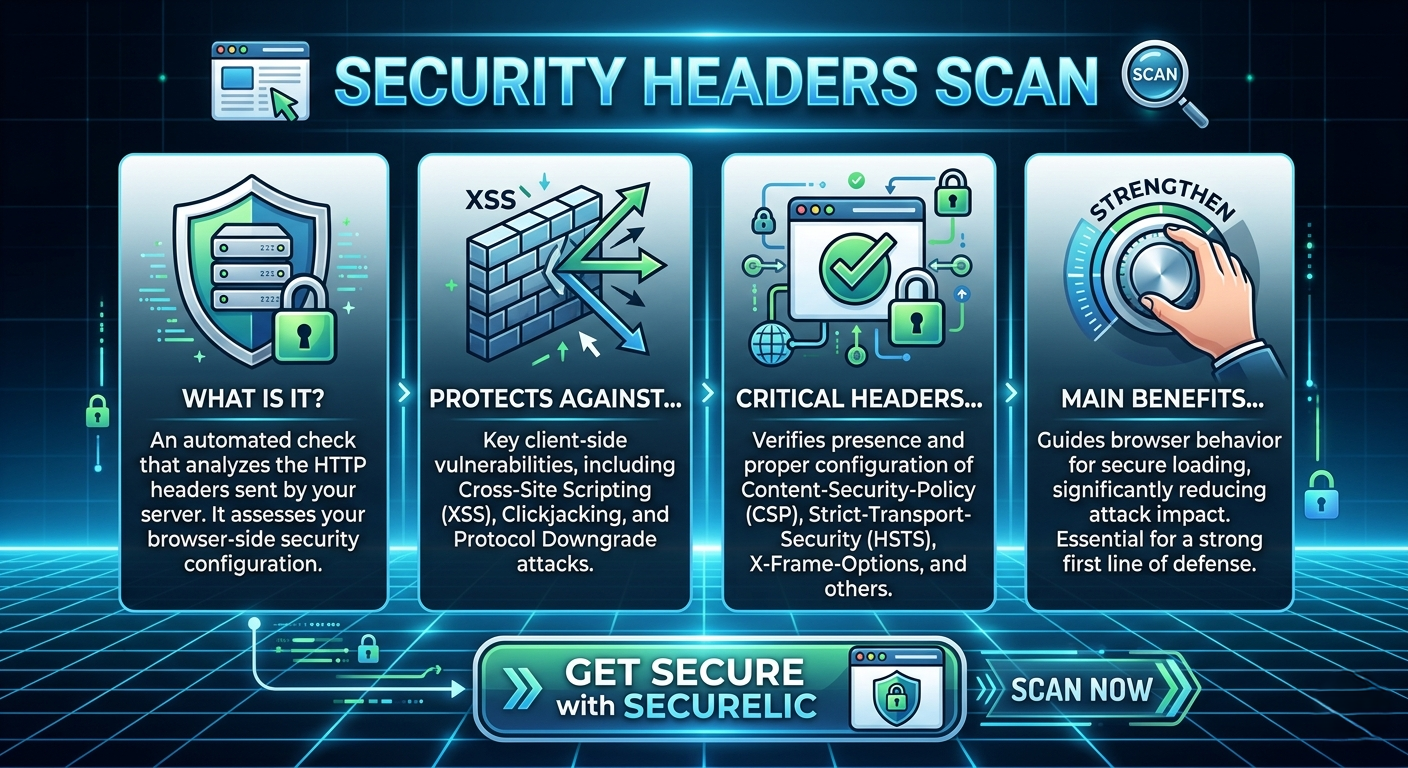
Every time a visitor accesses your website, your server responds with HTTP headers that instruct the modern browser on how to behave securely. Properly configured headers are the first line of defense against devastating client-side attacks, including Cross-Site Scripting (XSS), Clickjacking, and protocol downgrade attacks.
If you aren't actively monitoring these configurations, your users could be at risk. In this guide, we will explore why you need a security headers scan, which headers are critical according to the OWASP Cheat Sheet, and how to perform a comprehensive HTTP Header Check.
What is a Security Headers Scan?
A security headers scan is an automated process that inspects the HTTP headers your server sends to visitors. Using a specialized Security Header Scanner, you can easily check for the presence, absence, and correct configuration of essential security directives.
By optimizing these headers, you strictly instruct browsers on what resources they are allowed to load, whether they can frame your content, and how they should handle encrypted connections. This significantly reduces the impact of potential attacks, allowing you to strengthen browser-side security with just a few lines of server configuration.
The Essential HTTP Header Check List
To ensure your application is secure, your HTTP Header Check should look for the following critical headers. These are widely recognized as industry standards and are featured prominently in the OWASP HTTP Headers Cheat Sheet.
1. Content Security Policy (CSP)
A Content Security Policy (CSP) is arguably the most powerful security header available. It allows website operators to restrict the origins of executable scripts, stylesheets, images, and other resources. A strict CSP is your primary defense against Cross-Site Scripting (XSS) and data injection attacks. By defining exactly where resources can be loaded from, you neutralize malicious scripts injected by attackers.
2. HTTP Strict Transport Security (HSTS)
HSTS guarantees that browsers only communicate with your website over a secure HTTPS connection, never over plain HTTP. This protects your users from protocol downgrade attacks (like SSL stripping) and cookie hijacking. When a Security Header Scanner flags a missing HSTS header, it means your visitors are vulnerable to man-in-the-middle (MitM) attacks on insecure networks.
3. X-Frame-Options (XFO)
Have you ever heard of Clickjacking? This is an attack where a malicious site embeds your website into an invisible <iframe> to trick users into clicking buttons or executing actions on your site without their knowledge. The X-Frame-Options header stops this by telling the browser whether or not your site is allowed to be rendered within a frame.
4. X-Content-Type-Options
Browsers sometimes try to be "smart" by sniffing the content of a file and guessing its MIME type, rather than trusting the server's declared content type. This feature can be exploited to upload malicious files disguised as benign ones (e.g., uploading an HTML file with malicious JavaScript disguised as a .jpg). Setting X-Content-Type-Options: nosniff forces the browser to strictly follow the declared content type.
5. X-XSS-Protection
While largely replaced by CSP in modern browsers, X-XSS-Protection is a legacy header designed to stop pages from loading when they detect reflected Cross-Site Scripting (XSS) attacks. It remains a good defense-in-depth practice for supporting older browser versions.
6. Cross-Origin Resource Sharing (CORS)
CORS is a mechanism that uses additional HTTP headers to tell browsers to give a web application running at one origin access to selected resources from a different origin. Misconfigured CORS policies (such as allowing Access-Control-Allow-Origin: * on sensitive endpoints) can lead to severe data leakage.
7. Referrer-Policy
When a user clicks a link on your site to navigate to another, the browser sends a "Referrer" header containing the URL of your site. This can accidentally leak sensitive information (like user IDs or session tokens in the URL). The Referrer-Policy header controls exactly how much information the browser includes with navigations away from your site.
Why You Must Automate Your Security Headers Scan
Security configurations are rarely a "set it and forget it" task. As your web application grows, infrastructure changes, new APIs are introduced, and proxy servers are updated, security headers can easily be dropped or misconfigured.
Performing a manual HTTP Header Check using browser developer tools is tedious and error-prone. This is where automated tools step in. A dedicated Security Header Scanner will:
- Verify the presence of crucial headers (CSP, HSTS, X-Frame-Options).
- Analyze the syntax and strictness of complex policies (like checking if your CSP contains dangerous directives like
'unsafe-inline'). - Provide actionable insights and references to CWEs and OWASP documentation to help your development team fix issues fast.
Secure Your Web Application with Securelic
Ensuring that your server speaks securely to modern browsers shouldn't be a guessing game. By implementing strict HTTP headers, you lock the front door to your web application, protecting your users and your brand reputation.
Don't wait for a client-side vulnerability to be exploited. Strengthen your browser-side security today. Run a comprehensive security headers scan with Securelic to instantly identify misconfigurations, enforce best practices, and achieve true peace of mind.
Ready to lock down your application? Run your first HTTP Header Check with Securelic today and fortify your first line of defense!